
 >
>
(Image of Sony Xperia Pro-I)
Collection: Memory Card for Sony Xperia Pro-I Smartphone
Versatile Memory Cards Compatible with Sony Xperia Pro-I Smartphone
Maximize your Sony Xperia Pro-I Smartphone’s potential with our versatile memory cards. Ideal for users who need extra storage for apps, media, and documents, these cards offer high-speed performance to keep your device running smoothly. With a range of capacities available, you’ll never have to worry about running out of space. These durable memory cards are waterproof, shockproof, and temperature-proof, making them reliable in any situation. Perfect for use with other compatible devices such as tablets, cameras, and more, our memory cards are a must-have for anyone looking to expand their digital storage.
Maximize your Sony Xperia Pro-I Smartphone’s potential with our versatile memory cards. Ideal for users who need extra storage for apps, media, and documents, these cards offer high-speed performance to keep your device running smoothly. With a range of capacities available, you’ll never have to worry about running out of space. These durable memory cards are waterproof, shockproof, and temperature-proof, making them reliable in any situation. Perfect for use with other compatible devices such as tablets, cameras, and more, our memory cards are a must-have for anyone looking to expand their digital storage.
COMPATIBILITY NOTE:
Explore our selection of compatible accessories – including products available for purchase on other websites – that work with the Sony Xperia Pro-I Smartphone and other devices.
Please review each device and product’s specifications for full compatibility details.
-
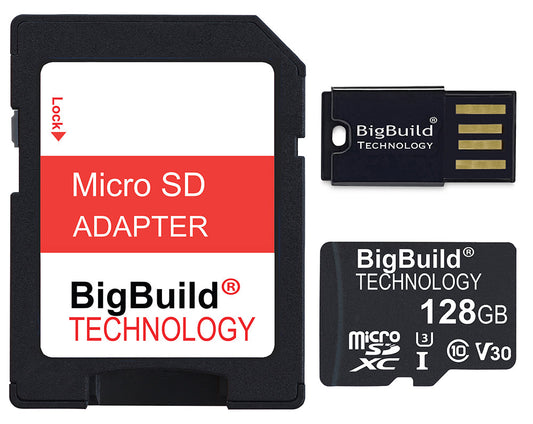
BigBuild Technology 128GB Ultra Fast 100MB/s Micro SDXC Memory Card, Perfect for Smartphones
Regular price £34.97 GBP (incl. VAT)Regular priceUnit price per -
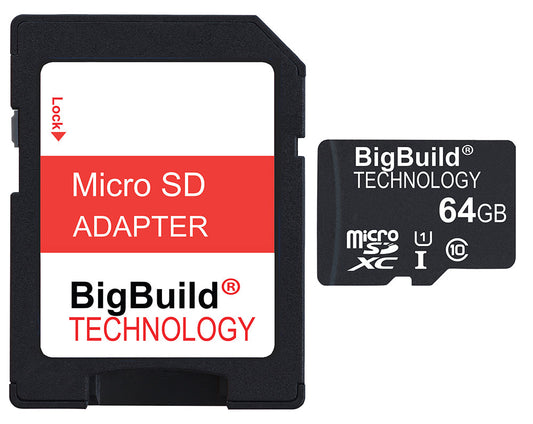
BigBuild Technology 64GB Ulta Fast 80MB/s Micro SDXC Memory Card, Perfect for Smartphones
Regular price £24.97 GBP (incl. VAT)Regular priceUnit price per -
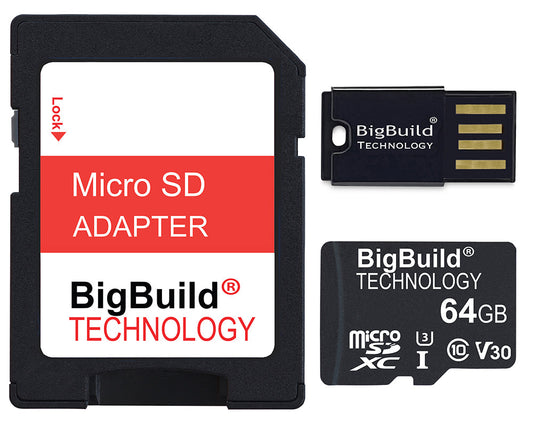
BigBuild Technology 64GB Ultra Fast 100MB/s Micro SDXC Memory Card, Perfect for Smartphones
Regular price £25.97 GBP (incl. VAT)Regular priceUnit price per
Frequently Asked Questions (FAQs) related to Memory Card for Sony Xperia Pro-I Smartphone
FAQ for Sony Xperia Pro-I Smartphone Compatible Memory Cards
General Compatibility and Usage
- Q: Are these memory cards compatible with my Sony Xperia Pro-I Smartphone?
A: Your Sony Xperia Pro-I Smartphone supports Micro SD cards for expandable storage. Always check your phone's specifications or user manual for compatibility details. - Q: Do I need a high-speed memory card for my Sony Xperia Pro-I Smartphone?
A: For basic tasks like storing photos, music, or standard-definition videos, a standard Micro SD card (Class 10 or U1) is sufficient. For 4K video recording, gaming, or using apps directly from the card, opt for a higher-speed card with U3 or V30, V60, or V90 Video Speed Class is recommended. - Q: Can I use a high-capacity memory card in my Sony Xperia Pro-I Smartphone?
A: All the memory cards you can buy are compatible with your Sony Xperia Pro-I Smartphone. Check your device’s maximum supported capacity before purchasing a high-capacity card.
Performance and Capacity
- Q: What are the best read and write speeds for memory cards in a Sony Xperia Pro-I Smartphone?
A: For everyday use, a card with a read speed of 80-100 MB/s and a write speed of at least 20 MB/s is adequate. For more demanding tasks like 4K video recording or gaming, look for cards with a U3 or V30 rating, which offer faster read/write speeds. - Q: How much storage do I need on a memory card for my Sony Xperia Pro-I Smartphone?
A: It depends on your usage. For general use, 64GB to 128GB is usually sufficient. If you store a lot of high-resolution photos, videos, or games, consider a 256GB or higher card. - Q: Will using a memory card slow down my Sony Xperia Pro-I Smartphone?
A: In general, using a high-quality, high-speed memory card will not noticeably slow down your Sony Xperia Pro-I Smartphone. However, using a low-speed card may impact performance, especially when accessing apps or media stored on the card.
Durability and Reliability
- Q: How durable are these memory cards for use in Sony Xperia Pro-I Smartphone?
A: All the memory cards listed here designed to be durable and are resistant to water, shock, x-rays, and extreme temperatures. - Q: Is there a warranty on these memory cards?
A: our memory cards come with warranties ranging from 2 years to 5 years. Check the product details for specific warranty information. - Q: What should I consider when buying a memory card for my Sony Xperia Pro-I Smartphone?
A: Consider the speed, capacity, and durability features like waterproofing and shock resistance. Also, check for compatibility with your Sony Xperia Pro-I Smartphone.
Installation and Maintenance Tips
- Q: How do I install a memory card in my Sony Xperia Pro-I Smartphone?
A: Most Smartphones have a slot on the side that can be opened using a SIM eject tool. Insert the memory card into the slot and ensure it is correctly seated. Refer to your Sony Xperia Pro-I Smartphone's user manual for specific instructions. - Q: How often should I format my memory card?
A: Regular formatting (every few months) is recommended to maintain optimal performance and prevent data corruption. Always back up your data before formatting. - Q: Can I use the same memory card in different devices?
A: Yes, but frequently switching the card between devices can increase wear and lead to data corruption. If you use a card across multiple devices, regularly back up your data and format the card occasionally.
Data Recovery and Security
- Q: Can I recover data from a damaged or corrupted memory card?
A: Data recovery tools can sometimes retrieve files from a damaged or corrupted card. For best results, stop using the card immediately and try recovery software or consult a professional service.
General Sony Xperia Pro-I Smartphone Operation
- Q: Should I turn off my Sony Xperia Pro-I Smartphone before removing the memory card?
A: Yes, always turn off your Sony Xperia Pro-I Smartphone before removing the memory card to prevent data corruption and potential damage to the card. - Q: What should I do if my Sony Xperia Pro-I Smartphone does not recognize the memory card?
A: Reinsert the card, check for physical damage, and format the card using the Sony Xperia Pro-I Smartphone's settings menu. If the issue persists, try a different compatible memory card.